# Surface Pro 11 – Driver Issues Out of the Box
You've just unboxed a brand new **Surface Pro 11**, but you're already facing **driver issues**. You've tried running all available Windows Updates—even performed a full system reset—but the problem persists. So, what's going on?
This is a **known issue** with some **new Surface Pro 11 devices** directly from Microsoft.
### Solution:
To resolve it, follow these steps:
**Steps:**
1. **Download the official Surface Pro 11 recovery image** from [Microsoft Surface Recovery Image Download](https://support.microsoft.com/surface-recovery-image).
2. Enter your Surface device's **serial number** and download the recovery image.
3. Click **Start** and search for **Recovery Drive**. [](https://orderassistnow.com/uploads/images/gallery/2024-09/Dauimage.png)
4. Important: **Untick** "Backup system files to the recovery drive" ( **This will erase everything on the USB** ). [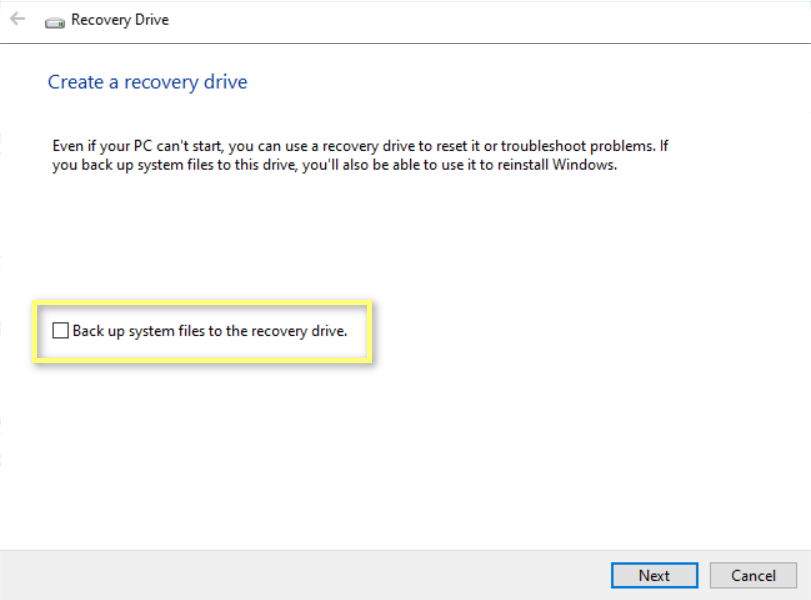](https://orderassistnow.com/uploads/images/gallery/2024-09/a84image.png)
5. Copy everything from the **ZIP file** you downloaded to the **recovery drive**. When prompted to replace existing files, select **Yes**.
6. Plug the USB into the Surface and press the **Power button + Volume Down** button to boot from the USB.
7. Follow the on-screen instructions to reinstall Windows.
**Note:**
On some devices running Windows 11, **Power + Volume Down** might not be enough. Instead, try **Power + Volume Up**. Once in **UEFI**, navigate to the **Bootable Options**, drag the USB to the top or untick **Windows** and **Internal Boot Options**.
Need help doing this? [Click here for step-by-step instructions →](https://orderassistnow.com/books/windows-installation-reinstallation/page/surface-reset-or-reinstalling-windows-methods "Surface - Reset or Reinstalling Windows Methods")